Redesigned Training Dashboard with Certifications view
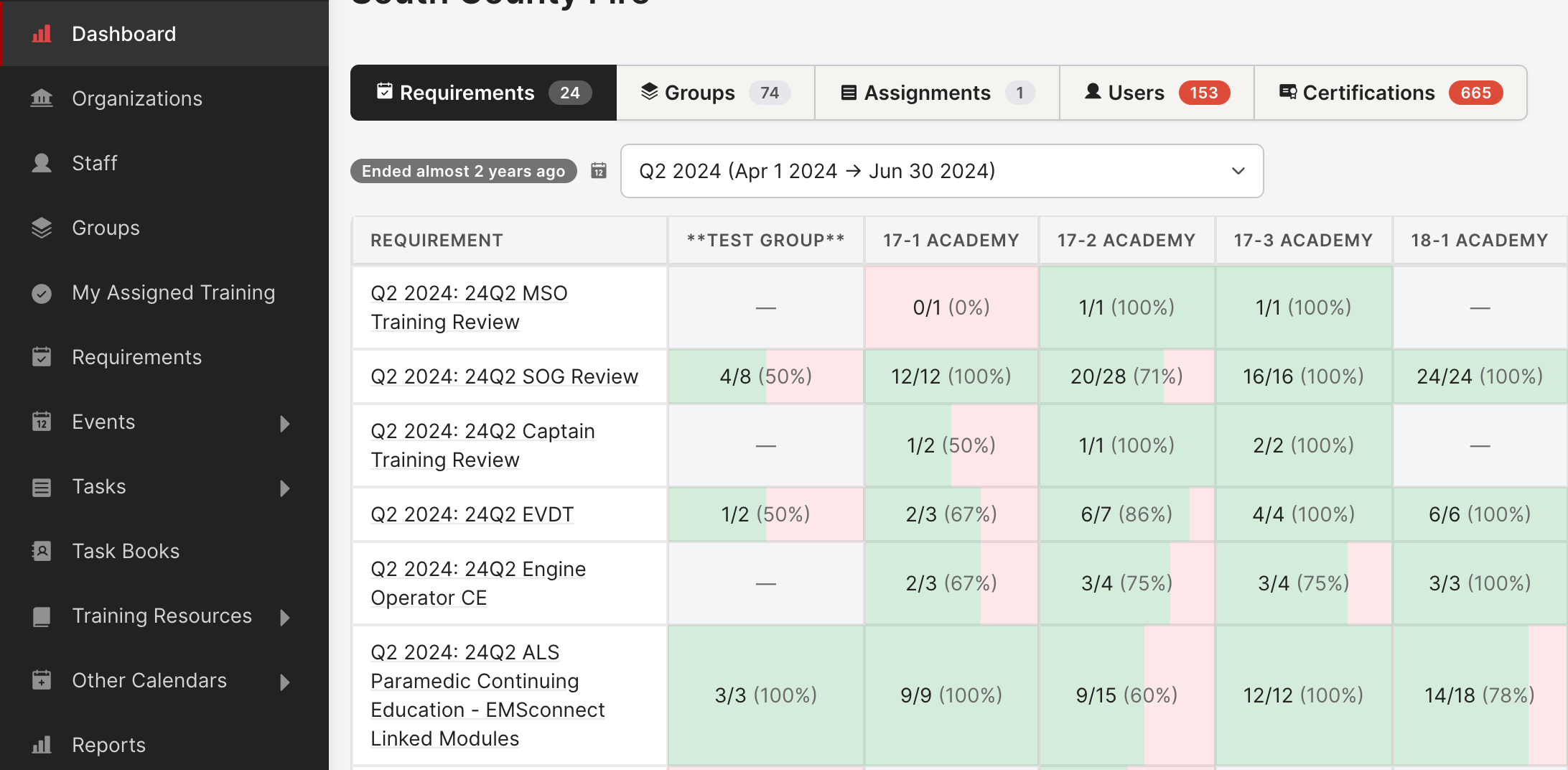
A Training Dashboard has been developed for easier compliance review. The page is now organized into clear tabs, each with click-to-drill-down detail:
Access: Dashboard is viewable by Manages Users or Creates Training role permission.
- Requirements — pivot of every requirement × every group, with completion counts in each cell. Click any cell to see exactly who's incomplete.
- Groups — group-by-group completion bars with a side-by-side fulfilled / total breakdown.
- Assignments — standalone training assignments outside the regular requirements flow.
- Users — search any member and see their overdue tasks, upcoming events, task books, and requirement progress in one panel.
- Certifications — a focused punch list of every Overdue, Expiring-in-the-next-6-months, and Active certification across the org. Two views:
- By User (one row per cert)
- By Certification (collapsible groups). Sticky sidebar nav for jumping between sections.