Changelog

Follow new updates and improvements to Rescue Hub.

July 3rd, 2026

New

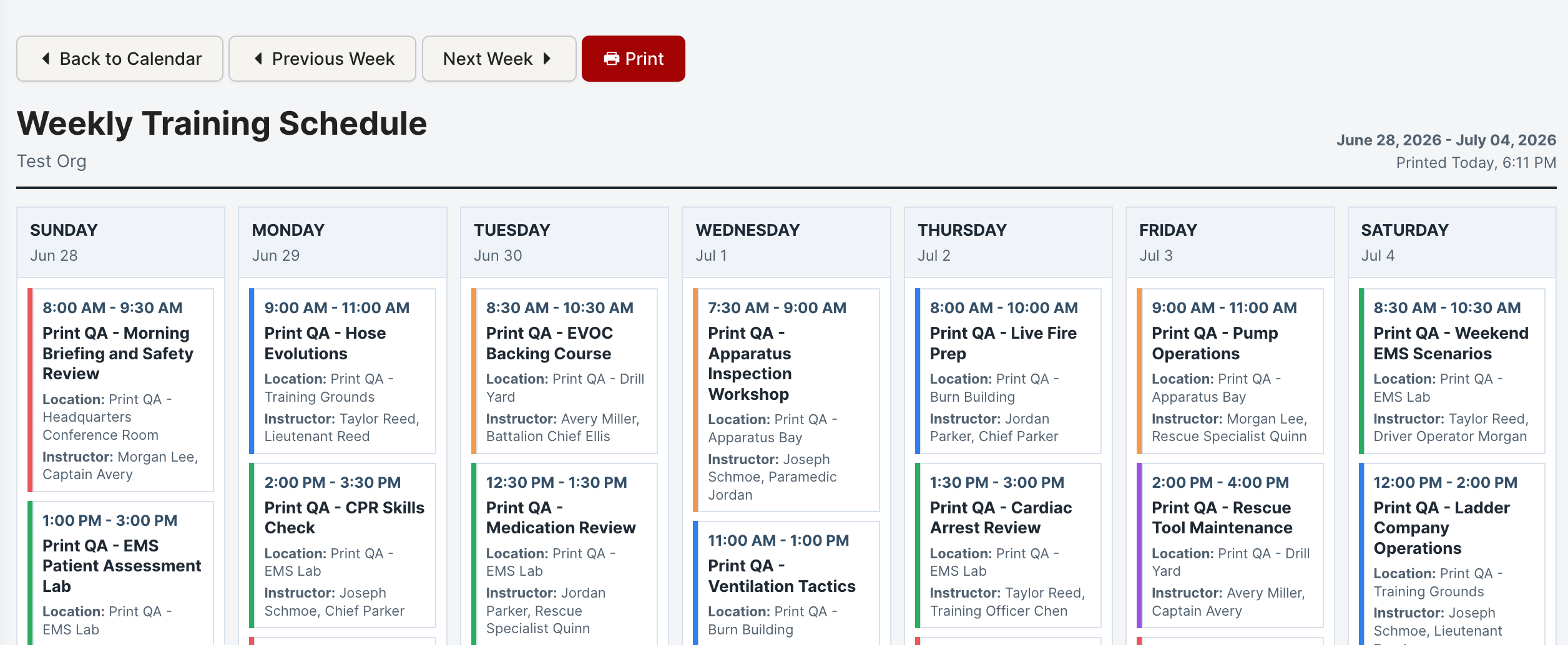
You can now print a clean, weekly view of your Training Calendar.

A new Print Week button in the Training Calendar header opens a print-friendly layout in a new tab, with:

  • Previous / next week navigation to pick exactly the week you need

  • Built-in print controls for a quick, tidy printout
July 1st, 2026

New

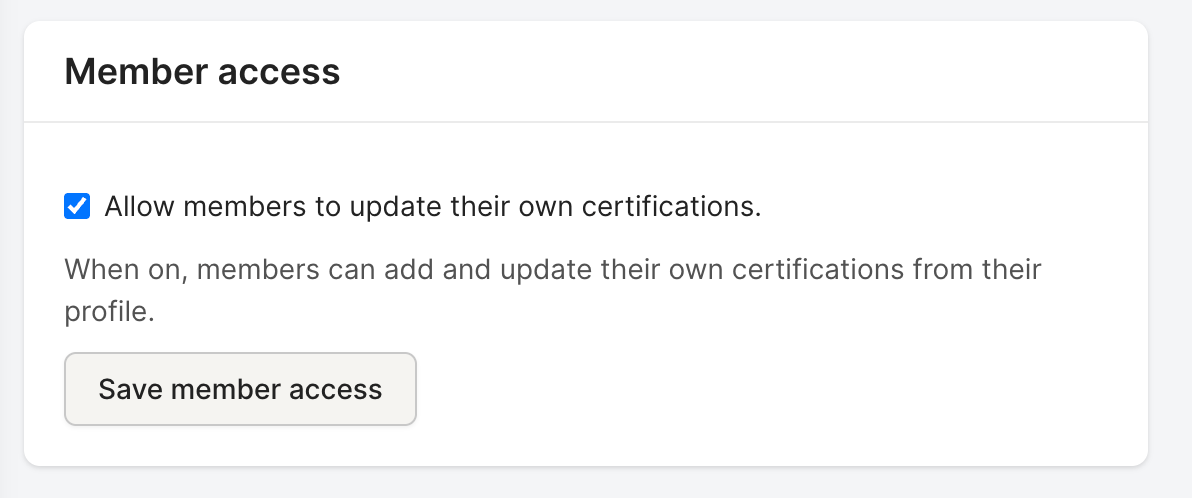
Admins can now optionally let members maintain their own certification records. This is an opt-in setting that's off by default β€” nothing changes until an admin turns it on.

Turn on Member certification self-service from the Certification Types page. Once enabled, members can:

  • Add their own certifications

  • Edit their existing certifications

  • Renew certifications as they come up

Deleting certifications stays restricted to administrators and managers, so your records stay protected while members keep their own information current.

May 25th, 2026

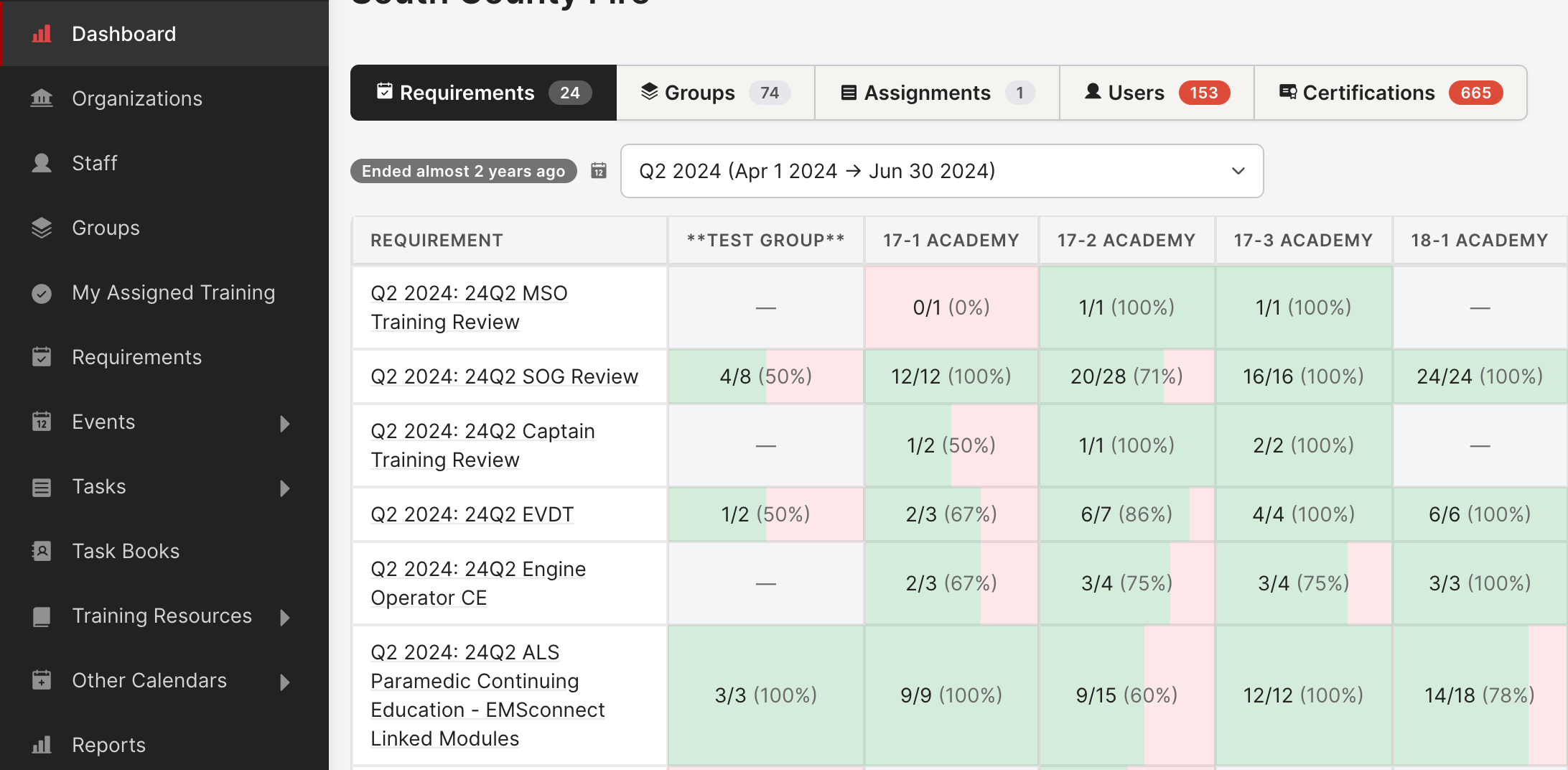
A Training Dashboard has been developed for easier compliance review. The page is now organized into clear tabs, each with click-to-drill-down detail:
Access: Dashboard is viewable by Manages Users or Creates Training role permission.

  • Requirements β€” pivot of every requirement Γ— every group, with completion counts in each cell. Click any cell to see exactly who's incomplete.
  • Groups β€” group-by-group completion bars with a side-by-side fulfilled / total breakdown.
  • Assignments β€” standalone training assignments outside the regular requirements flow.
  • Users β€” search any member and see their overdue tasks, upcoming events, task books, and requirement progress in one panel.
  • Certifications β€” a focused punch list of every Overdue, Expiring-in-the-next-6-months, and Active certification across the org. Two views:
    • By User (one row per cert)
    • By Certification (collapsible groups). Sticky sidebar nav for jumping between sections.

View full changelog

May 22nd, 2026

A round of improvements to the training calendar:
When clicking on the subscribe button below the calendar you will now be able to

  • **Multiple calendars. **Add your calendar to Google, Outlook, or Apple easily.
  • Per-calendar iCal subscribe. Replaced the old single subscribe link with a picker modal so you can subscribe to each calendar separately (or any combination of them) without copying URLs by hand.

View full changelog

May 20th, 2026

New

Rescue Hub has a refreshed look across the application:

  • Modern design system. Cleaner typography, more breathing room, consistent buttons and form controls across every page.
  • Polished profile header and forms. The user profile is easier to scan, and forms look and behave consistently throughout the app.
  • New empty states. When a list is empty, you now see helpful guidance instead of a blank page.
  • Refreshed messaging. Message threads are easier to read and reply to.
  • Updated branding. Rescue Hub is now operated by Rescue Hub LLC (formerly Dropkick Studios). Same product, refreshed identity.

View full changelog

March 10th, 2026

New

Managing group memberships is now much faster.

  • Add multiple staff at once. The Add to Group panel on a group page now supports selecting multiple staff members in a single action instead of one at a time.
  • Move staff between groups. Select staff in a group and move them to another group from the new Move Staff to Another Group panel.
  • Copy or move. Choose to leave staff in the original group (membership in both) or move them fully (removed from the original).

View full changelog

March 9th, 2026

Training events can now be tagged with skill tags β€” categorize each event by the actual skills it covered (ladder ops, hose evolutions, EMT skills, and so on).
The event detail report supports filtering by skill tag, so you can answer "how much ladder training did we do this quarter?" in one query instead of digging through events one by one.

View full changelog

March 3rd, 2026

A bundle of small wins that add up:

  • Sortable certifications table. Click column headers to sort by status, expiration, and more.
  • Less cluttered training period selectors. Only the periods that actually matter.
  • Better dropdown accessibility. Clearer hover and focus states for keyboard navigation.
  • Faster page loads. CSS and JS load improvements across the app.

View full changelog

February 27th, 2026

You can now move a document from one library section to another without re-uploading or re-tagging.
You can move files individually or move the entire section while in edit mode

View full changelog

January 16th, 2026

Clearing out years of overdue tasks used to mean grinding through them one by one.
Org admins can now mark every overdue task as expired in a single action β€” useful for end-of-year cleanup or when you inherit a stale task list.
The original due dates and history stay intact, so you don't lose the record of what happened.

View full changelog